Successfully published
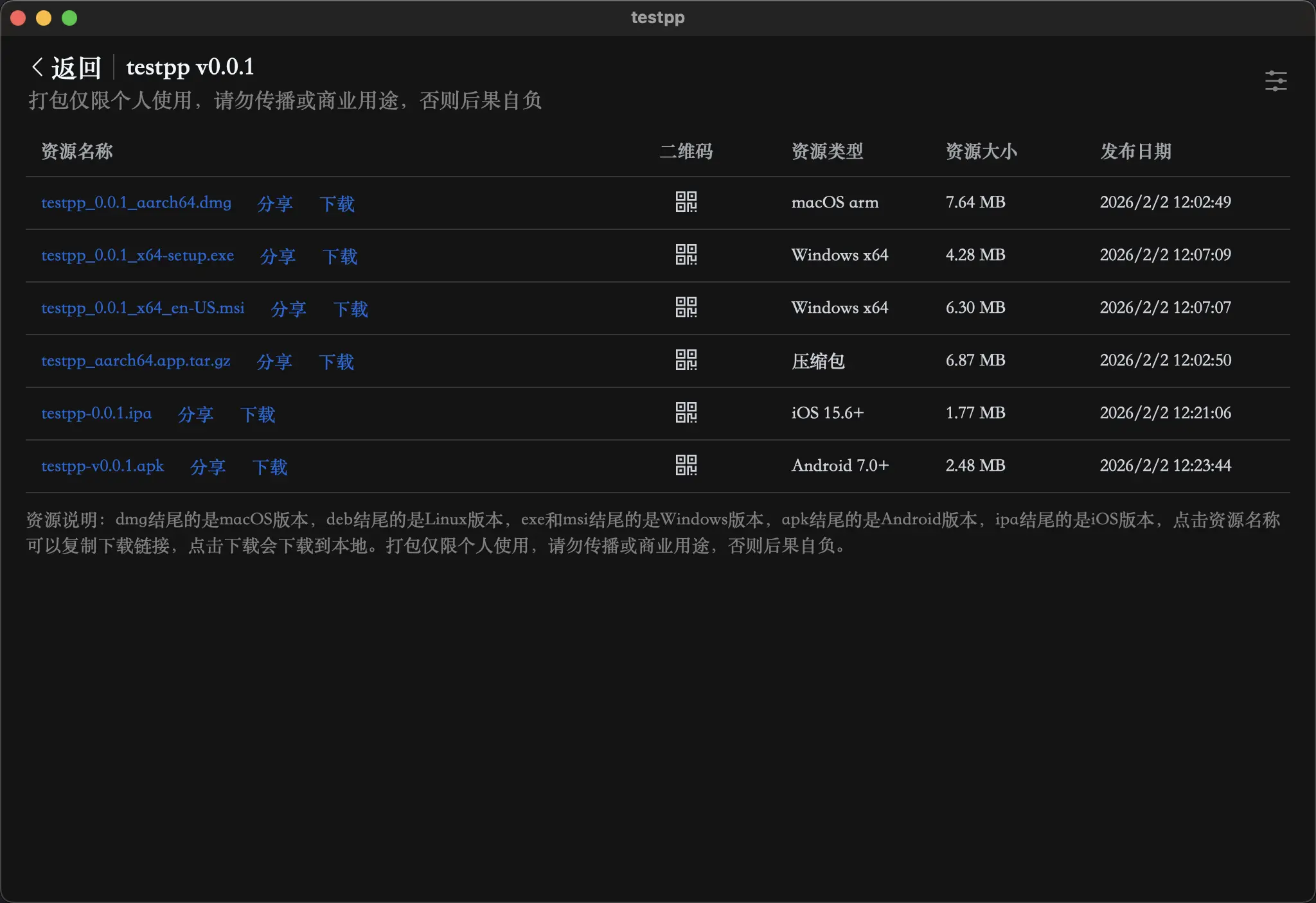
Congratulations 🎉🎉🎉! Your software has been successfully compiled. Simply click on "Download" to download your software. Alternatively, clicking on the name will copy the download link, which can then be opened in a browser for download. Alternatively, hovering the mouse over the QR code will display it, which can be scanned using a mobile phone camera to download onto the phone.
Note
- Please download the installation package compatible with your computer version for installation, otherwise an error may be prompted.
- Solution for the prompt "has been damaged" after downloading and opening on Mac: Please refer to the FAQs for solutions: FAQs 3. Windows prompts "cannot run on your computer, possibly because you downloaded the wrong version": FAQs 4. If you encounter a white screen or other abnormalities after opening, you can find answers in the FAQs: FAQs 5. Both mobile and desktop installation packages will appear in the list. Please identify the version before downloading.
- Resource Description: Files ending in dmg are for the macOS version, deb files are for the Linux version, exe and msi files are for the Windows version (please note the difference between x64 and arm versions), apk files are for the Android version, and ipa files are for the iOS version. Clicking on the resource name will provide the download link, and clicking on "Download" will initiate the download of the software package using your browser. Packaging is for personal use only, and it is prohibited to distribute or use for commercial purposes. Failure to comply may result in consequences borne by the user.